
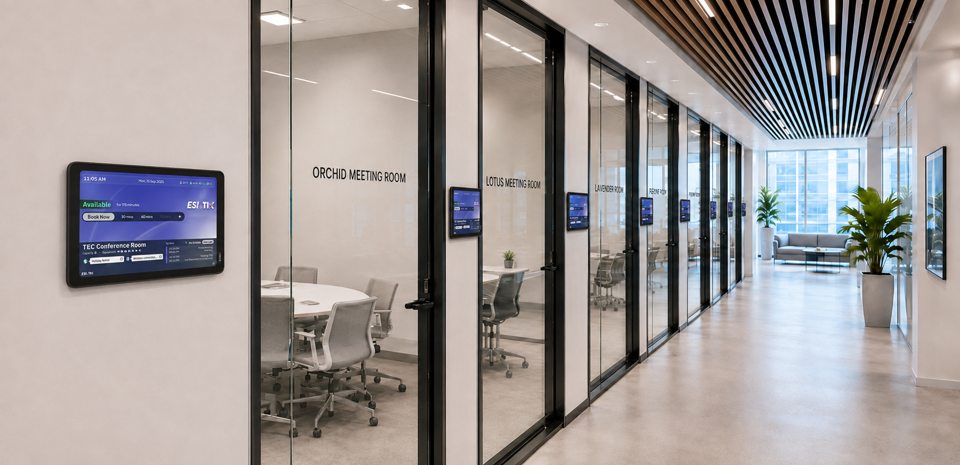
Booking a meeting room should take seconds. In most offices it still takes emails, a walk down the corridor, and an awkward conversation with whoever got there first. A meeting room booking system replaces that guesswork with a single source of truth for every room, desk, and shared resource. This guide covers what these systems do, how room booking software works day to day, what separates a basic calendar from a full meeting room management system, and how to judge whether one fits your organisation.
What a Meeting Room Booking System Is
A meeting room booking system (Meeting Room Booking System / Room Booking System) lets staff find, reserve, and release shared spaces from one interface. It holds a live record of every room, its capacity, its equipment, and its current status, then makes that record available through the web, a mobile device, a door panel, or the calendar tool people already use.
Traditional Meeting Room Booking Systems
Most room booking software on the market covers:
- Live status for every room
- Booking and cancelling rooms
- Outlook / Google Calendar sync
- Room display panels
- Basic check in management
- Utilisation reports
ESI-TIK is not simply a meeting room booking system, but an enterprise grade AI smart workplace platform. It brings AI powered room booking, AV equipment control, IoT automation, employee experience, space analytics and ESG management together on a single platform, helping enterprises lift space utilisation, cut operating costs, improve the employee experience, and deliver on smart office and sustainability goals.
It sits inside the broader field of workplace and facilities management, alongside hot desking and visitor handling. What separates it from a shared calendar is execution and data. A calendar records an intention. A booking system enforces it, monitors it, and reports on it.
- Rooms are expensive, yet few companies can say how many of theirs sit empty during a booked slot, how quickly rooms turn over, which rooms stay idle long term, or whether energy is switched off after a meeting ends. ESI-TIK helps enterprises quantify space utilisation, reduce energy waste and lift return on assets, turning office space from a cost centre into a manageable, optimisable enterprise asset.
- ESI Asia has worked in telecommunications and unified management technology since the early 90s, with its own R and D centre in Hong Kong. The ESI-TIK platform was built in recent years precisely to answer the smart office question for local enterprises.
Comparison with Other Meeting Room Booking Systems
|
Feature |
Typical Booking Systems |
ESI-TIK |
|
Outlook sync |
✔ |
✔ |
|
Teams sync |
✔ |
✔ |
|
WhatsApp AI booking |
✘ |
✔ |
|
Delegate booking |
✘ |
✔ |
|
QR code / smart card check in |
Partial support |
✔ |
|
One Touch Meeting |
✘ |
✔ |
|
AV equipment control |
✘ |
✔ |
|
IoT integration |
✘ |
✔ |
|
Personalised work environment |
✘ |
✔ |
|
ESG energy management |
✘ |
✔ |
|
Multi site centralised management |
Partial support |
✔ |
|
High Availability architecture |
Rare |
✔ |
Core Features That Define Good Room Booking Software
Feature lists look similar on paper. The differences show up in how the pieces connect.
Scheduling and Availability
Friction here decides adoption, because this is the layer users touch daily.
- Real time availability reflecting actual room status
- Whatsapp booking AI powered agent suggest suitable spaces and confirm booking
- Interactive floorplan booking with advanced search and filters
- Approval based booking for boardrooms and other high demand spaces
- Delegated booking authority so an assistant can book for an executive
- Multi location management across offices, floors, and buildings
- Batch booking and reservation import for recurring schedules
- Integration with Teams, Outlook, Zoom, Webex, Google Meet, and Exchange
Test recurring bookings closely during any evaluation. Most platforms repeat the same weekday, time, and room for every occurrence, which breaks the moment a series moves office or shifts by an hour. The ESI-TIK room booking system handles this through custom series booking, where each occurrence carries its own weekday, time, and location. Its AI assistant also takes natural language requests through WhatsApp, booking the room and the online meeting in one exchange.
In Room Experience
A reservation only creates value if the room works when people arrive.
- One touch meeting room automate displays, lighting, climate, and conferencing instantly
- Active-Active High Availability ensure your AV systems at no downtime
- People counting and comfort sensors for occupancy and air quality
- No show auto cancellations that release unclaimed rooms
- Wayfinding with built in navigation
- Integrated service requests for catering or IT equipments
- AI Powered human profile for store individual preferences for room setup
- Room panels showing status and next booking.
Reporting and Analytics
- Usage rates and booking trends by room, floor, or building
- Check in percentages and early release rates, which expose overbooking
- Occupancy and space optimisation reports
- Customisable dashboards for facilities and IT
- ESG and carbon reporting drawn from actual usage
At lease renewal, this data is the difference between a guess and a case.
How a Room Booking System Works in Practice
A well configured system takes a booking from intent to confirmation in five steps.
- Choose date and time from the app, panel, or calendar plugin.
- Filter requirements by capacity, floor, video kit, accessibility, or catering.
- View availability. Matching rooms appear with photos, equipment, and live status.
- Review the live schedule and adjust the slot if needed.
- Confirm. The system writes the reservation, updates the door panel, notifies attendees, and triggers any service request.
This overview covers the booking flow and the workplace platform behind it:
Behind those steps, the system reconciles calendar data, sensor input, and access rules continuously. Door panels act as both display and input, letting someone claim an empty room on the spot or extend a session running long.
If you would rather see it than read about it, the ESI Experience Centre in Kwun Tong runs live rooms covering one touch automation, IoT centralised management, and certified Microsoft and Zoom devices.
Manual Scheduling vs Shared Calendars vs Dedicated Booking Software
Most organisations pass through all three stages.
| Capability | Manual Booking Sheet | Shared Calendar Only | Dedicated Booking System |
|---|---|---|---|
| Live room availability | No, updated by hand | Partial, calendar only | Yes, synced in real time |
| Double booking prevention | Relies on honesty | Weak across teams | Enforced by rules |
| No-show recovery | None | None | Automatic release |
| Recurring series flexibility | Rewritten by hand | Fixed weekday, time, room | Variable per occurrence |
| Multi-site view | Separate sheets | Fragmented calendars | Single dashboard view |
| In-room hardware control | None | None | Lighting, displays, audio, blinds |
| Visitor handling | Reception logbook | Manual email | Pre-registration and check-in |
| Utilisation reporting | None | Booking counts only | Booked versus actually occupied |
| Admin effort | High and constant | Moderate | Low after setup |
The row that matters most is utilisation reporting. A shared calendar tells you a room was booked forty times last month. Only sensors tell you eleven of those bookings ended with an empty room.
Moving right rarely means starting over. ESI has delivered enterprise integration for three decades, holding accreditations including Zoom Phone Platinum Partner and Avaya Diamond Tier 1 Partner, so existing displays, control processors, and conferencing hardware usually stay in place
Beyond Scheduling: Room Automation and Personalised Spaces
Here the system stops being administrative and starts shaping the meeting itself.
Traditional AV control is static. Anyone who presses start gets the same fixed configuration, so the first three minutes go to adjusting lights, selecting a source, and finding the right volume. Connecting booking to the AV over IP control system removes that step, because the system already knows who booked the room and what kind of meeting it is.
ESI-TIK extends this through an AI powered human profile. The platform identifies the organiser, recalls their last setup in that room, and restores it automatically across lighting, display source, audio, air conditioning, and blinds. A local presentation loads a different profile than an online meeting. This requires booking, AV control, and usage history talking to each other, which is why conventional AV control cannot deliver it.
IoT centralised management extends the same integration into infrastructure, giving facilities teams device health monitoring, condition based alerts, and remote remediation. N plus 1 redundancy keeps booking and room control running through a component failure.
This video shows booking, room automation, and centralised management working as one system:
At ESI, booking, AV, and IoT are built by the same engineering team, which is why they behave as one product rather than three introduced to each other on site.
How to Choose a Meeting Room Management System
- Does it match how people already work? Native integration is not optional, and mixed Teams, Zoom, Webexand Google Meet estates should work without workarounds.
- Self-Service Workplace Management” Executives and office administrators can easily operate the system, manage bookings, and access reports independently, reducing reliance on IT teams and accelerating workplace productivity.
- Can it prove utilisation, not just bookings? Ask how occupancy is detected. Sensor data and calendar data answer different questions.
- Does it extend past the meeting room? Desks, visitors, and energy share the same space data. Buying separately means reconciling three datasets later.
- How long does configuration take? A zero code engine lets facilities teams modify rooms without specialist programming.
- What happens when something fails? Ask about redundancy, failover, and whether room control survives losing the central server.
- Is it supported locally? Local engineering shortens the distance between a fault and a fix.
Integration depth is the strongest signal. A booking system that only books is a calendar with better filters.
Around 90 percent of our engineers are based in Hong Kong, with supporting offices in Shanghai, Shenzhen, Taiwan, and Singapore, so surveys, commissioning, and fault response happen in your time zone. A short discovery session covering your room count, calendar platform, and existing AV is a useful first step. Talk to our team to arrange one.
FAQs About Meeting Room Booking Systems
Does this require replacing existing AV hardware?
Usually not. A platform built as an orchestration layer sits above installed equipment and controls it through standard protocols. Replacement only becomes necessary where hardware is closed or too old to accept external control, which a site survey identifies before any commitment.
Does a meeting room booking system also handle hot desking?
It should, because desks and rooms are the same problem at a different scale. Desk booking uses the same availability engine, integrations, and analytics. Running them on separate platforms creates two versions of your occupancy data.
Can visitors be managed through the same platform?
Yes. Visitor management ties into the booking record, so guests receive a QR code ahead of the visit, check in and out automatically, and trigger a notification to the organiser on arrival. Visitor logs are available for compliance reporting.
What happens if the server or network goes down?
Ask any vendor before signing. Enterprise systems build in N plus 1 high availability and load balancing so a single component failure does not take down booking or room control, with self healing architecture restoring services automatically.
How long does deployment usually take?
The configuration method matters more than the room count. Platforms requiring specialist programming per room scale slowly and cost more with every change, while a zero code engine cuts commissioning time substantially and lets your own team modify rooms afterwards.
Should IT or facilities own the system?
Both, with one accountable owner. Facilities holds the space data and utilisation questions, IT owns integrations, identity, and network. Deployments stall when neither team is responsible for room data accuracy, so settle ownership before procurement.
Which deployment option is offered by ESI-Tik ?
ESI-TIK offers both On-Premises and Subscription (SaaS/Private Cloud) deployment models, allowing customers to choose based on their security, compliance, and budget requirements.