
AV over IP Control System

Simplify meeting room technology with one-touch control, flexible AV over IP distribution and centralised room management.

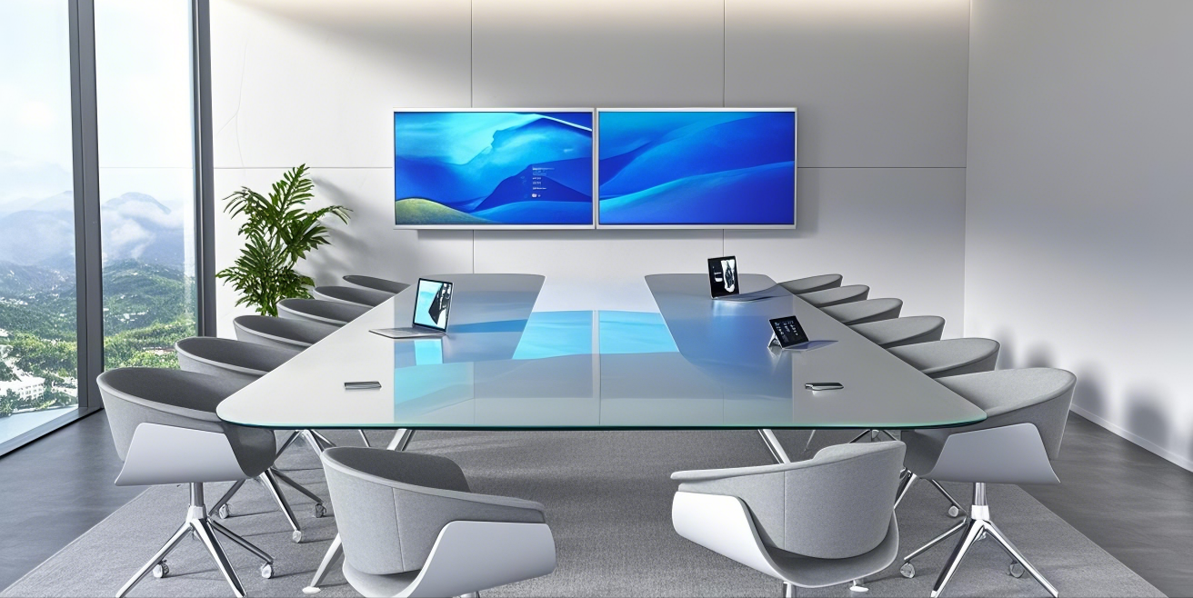
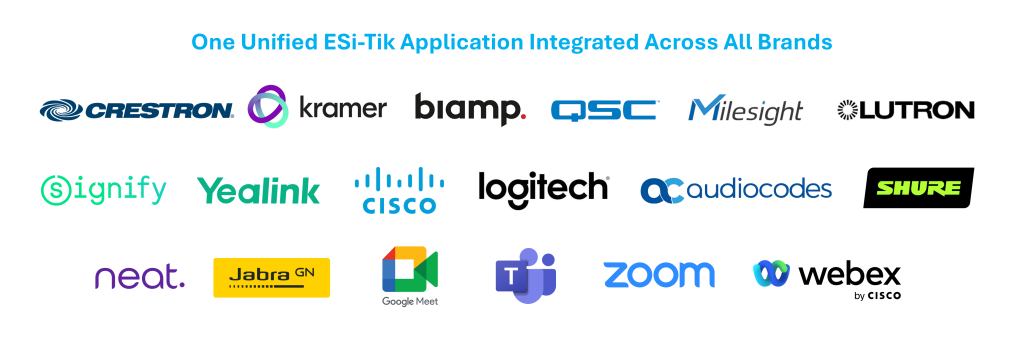
ESi-Tik can bring control systems and compatible devices from different manufacturers into a single control environment. Supported AV equipment, displays, cameras, microphones, lighting, climate controls, curtains, sensors, booking systems and other room technologies can be coordinated through one interface. This gives organisations greater flexibility to integrate existing infrastructure with new technology without requiring every component to come from the same manufacturer. Available functions, device feedback and integration methods are confirmed during solution design.
Feature List
AV over IP | AVoIP - Centralized Audio Visual Control System

Built around AV over IP, ESi-Tik distributes audio and video over an IP network rather than relying entirely on dedicated AV cabling and fixed matrix switching. When the network and endpoints are designed for expansion, new sources, displays and rooms can be added more flexibly as workplace requirements change.

Compatible devices and integrations can extend the solution with occupancy information, environmental monitoring, automated room scenes and centralised management. Each deployment is designed around the site’s equipment, network, security requirements and required level of resilience.

The ESi-Tik One-Touch Solution

Starting a video meeting should be simple. Users should not need to switch on displays, select inputs, configure cameras and microphones, adjust room settings and then join the call.

ESi-Tik brings these functions together through a single, intuitive interface. With one touch, users can start a meeting or presentation while the system prepares compatible room devices and applies the configured settings. At the same time, IT and facilities teams gain greater visibility across connected rooms and devices, helping them monitor and manage meeting spaces more efficiently.

Configured workflows can support Microsoft Teams, Zoom and Webex, depending on the room equipment and integration. Different scenes can be created for hybrid meetings, video calls and presentations, giving users a familiar experience without requiring them to understand every device in the room.

Where booking and profile integrations are included, relevant meeting information and configured preferences can also be incorporated into the room experience. The available functionality is defined around the customer’s booking platform, devices, security and privacy requirements.

Room task

Conventional room setup

ESi-Tik room control

Starting a meeting

Users may need to operate several devices or menus

A configured one touch scene prepares compatible equipment

Changing meeting type

Inputs and room settings may need manual adjustment

Teams can create scenes for video calls, presentations and other uses

Lighting and climate

Often controlled separately from AV

Compatible controls can be included in the room interface

Personal preferences

Users may reset the room each time

Configured profiles can be applied where the integration is in scope

Room support

Staff may need to inspect devices individually

Selected device and room information can be viewed centrally

Expansion

Changes may involve additional switching hardware and cabling

Compatible network endpoints can be added when capacity allows

Continuity

Depends on the room’s controller and support design

High availability options can be designed and tested for critical spaces

The right design depends on the importance of each room. A standard meeting room and an executive boardroom may need different levels of monitoring, network resilience and recovery planning. ESI can define those requirements during solution design and verify how the selected configuration behaves when a device, connection or controller fails.

Key Feature

One-Touch Meeting Automation

Start or join a hybrid meeting from one room interface. A configured scene prepares compatible displays, cameras, microphones and audio devices for the meeting, so users spend less time selecting inputs and adjusting equipment.

ESi-Tik is designed with business continuity in mind. For executive boardrooms, command centres and other critical meeting spaces, the platform can incorporate resilient control architecture and proactive monitoring to reduce the impact of device, controller or network failures.

Where higher levels of availability are required, ESi-Tik can be deployed with an active-active architecture to provide additional control resilience. The solution is engineered and tested around the customer’s room equipment, network and integrations to deliver a dependable control experience for critical spaces.

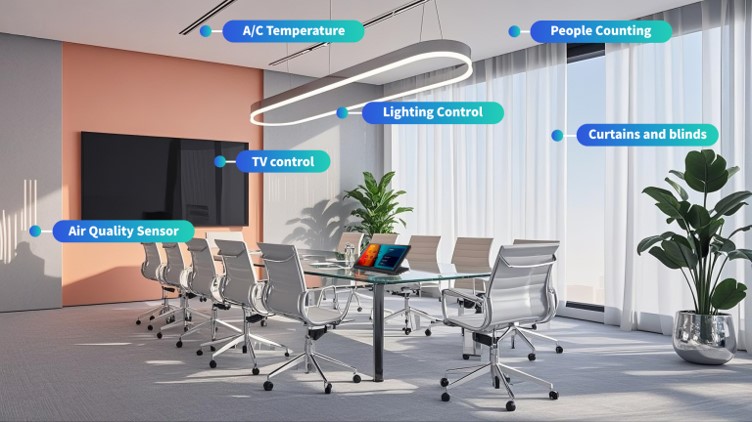
Bring selected AV, lighting, climate, curtain and scheduling functions into one control interface. The panel can present the controls relevant to each room and user group, reducing the need to operate separate systems.

Create room scenes for video calls, hybrid meetings and presentations. Depending on the installed devices, a scene can select displays, cameras and audio equipment while adjusting compatible lighting and other room settings.

Where compatible door hardware is included, room access can be managed within an agreed central workflow. Access permissions, security requirements and the link with other room functions should be defined during implementation.

Compatible sensors can provide available room readings such as temperature, humidity or air quality indicators. The information shown depends on the selected sensor model and dashboard configuration, giving facilities teams more context when reviewing room conditions.

Occupancy Sensors for Automation

Automatically adjust lighting, AV systems, and climate settings based on room occupancy.

Measure real-time attendance and optimize room resources. Adjust AV configurations, lighting, and environmental settings based on the number of occupants for energy-efficient operations and tailored experiences.

An intuitive interface that simplifies user experience and reduces the learning curve.

Ensure compatibility and reliability during meetings.

Focus on collaboration without wasting time on setup.

SIMPL# Pro Support offers advanced customization and flexibility for seamless integration with enterprise workflows.

Ensure reliable installation and optimal performance with Crestron Master Certified Programmers for your AV control needs.

Occupancy Sensors for Automation

Compatible occupancy sensors can help a room respond to whether it is physically in use. An approved scene could adjust supported lighting, AV or climate equipment after a suitable vacancy delay, with manual override and a defined response if sensor data is unavailable.

People counting can add another view of how meeting spaces are used. Sensor selection, placement and accuracy should be checked before the data is used for capacity planning or to trigger room changes.

Give users a clear set of controls for the tasks they perform most often, such as starting a meeting or presenting content. A consistent interface across rooms can make unfamiliar spaces easier to operate.

Configured scenes help prepare compatible devices in an agreed sequence for each meeting type. Testing and ongoing maintenance remain important, particularly when room equipment or meeting requirements change.

When routine setup takes fewer manual steps, users can begin their meetings more easily and support teams can focus on issues that need attention. The practical benefit depends on the room workflow and the quality of the integration.

ESi-Tik can support custom interfaces and control logic for compatible enterprise equipment. The development approach, required integrations and maintenance arrangements should be confirmed for each project.

Specialist programming can support complex meeting rooms and boardrooms where standard controls are insufficient. ESI can define the programming, commissioning and testing required for the selected devices and room workflows.

The Benefits of ESi-Tik One Touch AVoIP for Meeting Rooms and Boardrooms

A smoother meeting experience.

Staff can focus on the meeting instead of searching for remotes, switching inputs or calling support to select a camera. Familiar controls across rooms also make it easier for occasional users and visitors to get started.

Agreed scenes help prepare equipment in the same sequence each time. Teams can still allow manual changes when a meeting calls for a different arrangement.

Central visibility into selected rooms and devices can help a support team identify where to investigate an issue. Monitoring coverage and alerts should be confirmed for the equipment installed.

Booking and check in records show how rooms are reserved and used administratively. Adding reliable occupancy information can reveal a different picture of physical use, helping facilities teams review no shows, room sizes and demand.

Compatible lighting, displays and climate controls can use an approved lower operation scene after a space has been reliably vacant for a suitable period. Comfort settings, sensor failures and manual override need to be considered. Measured energy data is required before claiming a specific saving.

IoT Centralized Management

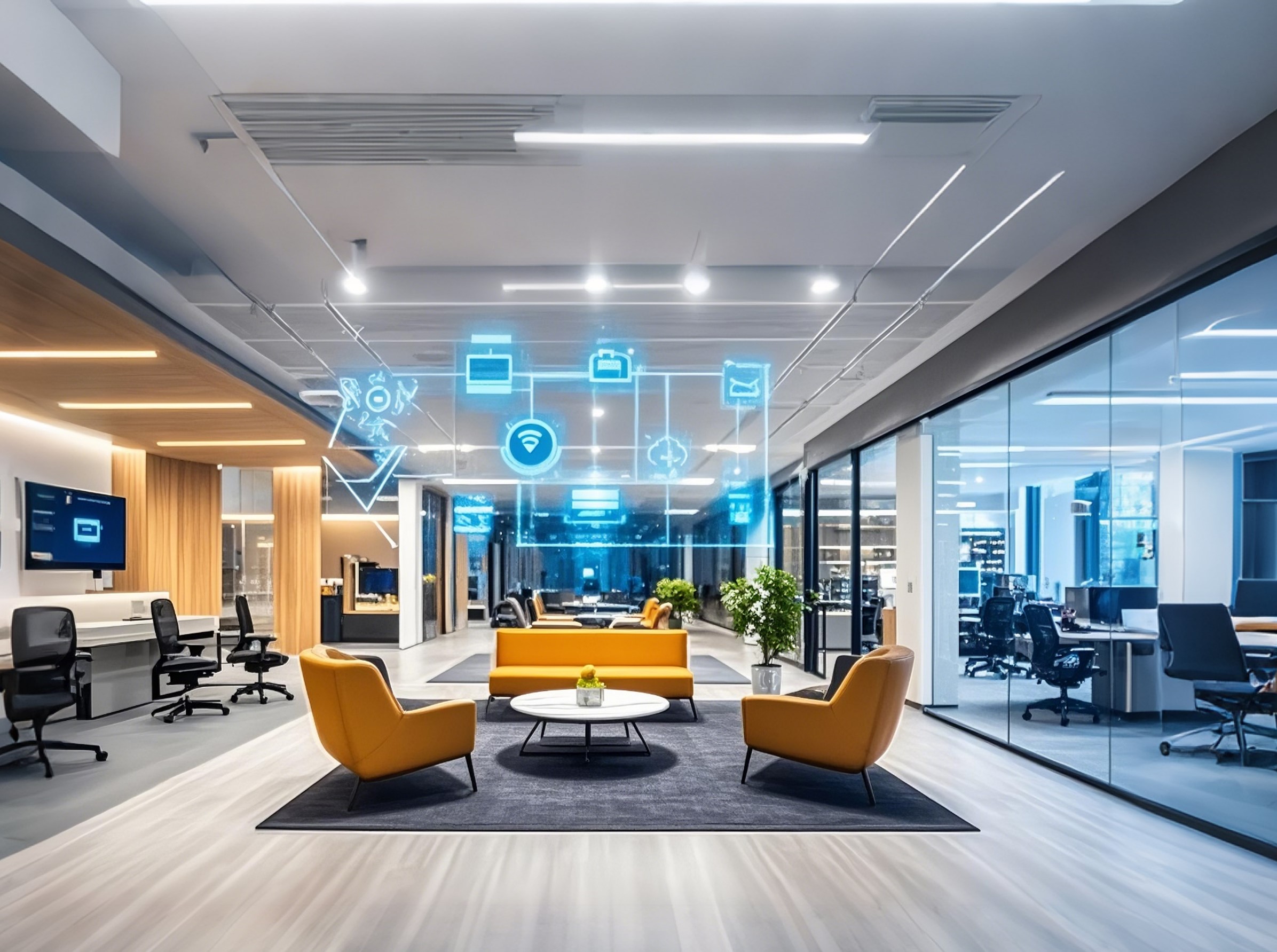
The ESi-Tik IoT Cloud Dashboard can bring selected room, sensor and device information into one view. Available functions depend on the equipment and configuration at each site.

Centralize Dashboard

Review connected rooms and devices across a floor or building from one place. Room status and sensor readings help facilities teams see where attention is needed.

Monitor the status of supported equipment and identify connection issues before they disrupt a meeting. Alerts can be configured for the devices and events that matter to your team.

Authorised staff can review room information remotely and, where supported, control compatible devices without visiting each room. Available commands and permissions are confirmed during setup.

Compatible occupancy and environmental sensors provide information about room use and conditions. That data can support approved lighting, climate or AV scenes, with manual override where needed.

Bring available room, booking and sensor data together to review usage trends and recurring issues. Historical reports and exports depend on the dashboard configuration.

Room and equipment data can reveal opportunities to reduce unnecessary operation. Measured energy data and an agreed baseline are needed to calculate energy or carbon savings.

Explore More

IoT Centralized Management

Centralize Dashboard

A centralized dashboard enhances efficiency and security by simplifying the control and monitoring of Rooms and devices across diverse environments and multiple locations, ensuring seamless operations and real-time insights.

view room occupancy, device health, and resource usage in a unified interface, ensuring you have a comprehensive overview of your facility’s status at all times.

View room occupancy, device health, and resource usage in a unified interface, ensuring you have a comprehensive overview of your facility’s status at all times.

Control AV systems, IoT devices, and room bookings across all locations from anywhere, providing flexibility and convenience for facility managers.

Automatically adjust lighting, curtains, and climate settings using occupancy and air quality sensors, creating a comfortable and energy-efficient environment.

Generate detailed analytics on room usage, energy consumption, and booking trends, helping you make informed decisions to optimize operations.

Track energy usage and optimize your carbon footprint with actionable insights, promoting sustainability and cost savings

Explore More
Occupancy Sensors for Automation

Automatically adjust lighting, AV systems, and climate settings based on room occupancy.

Measure real-time attendance and optimize room resources. Adjust AV configurations, lighting, and environmental settings based on the number of occupants for energy-efficient operations and tailored experiences.

An intuitive interface that simplifies user experience and reduces the learning curve.

Ensure compatibility and reliability during meetings.

Focus on collaboration without wasting time on setup.

Enjoy modern, user-friendly interfaces powered by HTML5 for responsive designs on any device. SIMPL# Pro Support offers advanced customization and flexibility for seamless integration with enterprise workflows.

Ensure reliable installation and optimal performance with Crestron Master Certified Programmers for your AV control needs.

Explore More

Feature List

AV over IP Control System Premium Package

The package can be shaped around the rooms, equipment and management functions required at a site. ESI can confirm which items are supported by existing devices and which need additional hardware, configuration or integration.

Package item

What it can deliver

Scope to confirm

High availability design

Additional resilience for rooms that need it

Architecture, failover tests and recovery requirements

Dynamic lighting and curtain control

Room scenes that set compatible lighting and curtain positions

Device models, available control levels and scene behaviour

Integrated device management

Coordinated control of selected displays, cameras, microphones and audio equipment

Device compatibility and feedback

People counting

Attendance information to support analysis of room use

Sensor choice, placement and accuracy

Centralised door access

Room access functions within an agreed management workflow

Door hardware, permissions and security policy

Environmental sensors

Available room readings such as temperature, humidity or air quality indicators

Sensor fields, data freshness and dashboard views

Occupancy sensors

Physical use signals that can inform room scenes and space analysis

Placement, vacancy rules and manual override

Unified control panel

A simpler interface for selected AV and room functions

Functions and permissions for each user group

Integration support

Interfaces and control logic for compatible enterprise systems

Required development, testing and maintenance

Reserve a demo tour with ESI to see the ESi-Tik control experience and discuss the devices, integrations and management functions needed for your spaces.

FAQs About AVoIP Systems

AV over IP can make audio and video routing more flexible because compatible sources and displays are connected through an IP network. It can also support expansion and central management across rooms. Those benefits depend on network capacity, device selection and a control design suited to the site.

A conventional AV system commonly uses dedicated cabling and switching hardware to connect sources to displays. AV over IP carries media through a network, which can make routing and expansion more flexible. It also means the network must be designed to handle the expected media traffic reliably.

Map the tasks people perform in each room before comparing products. Note the number of displays and sources, the meeting platforms in use, the expected video and audio quality, and who will support the system. Then review device compatibility, network capacity, security, management tools and the level of resilience needed. Ask the provider to demonstrate the actual meeting workflow.

Booking and AV control can be brought into a coordinated workflow when the selected systems are integrated. The project should specify what booking information is available, how it maps to each room and which settings it is permitted to change. A reservation should not be treated as proof that the organiser has arrived or that the room is occupied.

An AV over IP control system can help operate compatible displays, lighting and climate equipment according to agreed room scenes. Occupancy sensing may offer another input when its reliability and response rules have been tested. To demonstrate energy savings, the customer also needs measured consumption and a comparable baseline.

The network carries the media streams, so bandwidth, latency, switching capacity and traffic management need careful planning. IT and AV teams should agree on the design, security requirements and monitoring approach before equipment is installed. Critical rooms may also need a tested resilience and recovery plan.

AV over IP can be used to distribute media across a residence. Home projects usually have different priorities from enterprise meeting rooms, such as simple playback and control. ESi-Tik’s proposition is best evaluated for commercial spaces where meeting workflows, room management and facilities integration are important.

Get In Touch

    Make an Appointment / Inquiry


    ESI ASIA is committed to protecting and respecting your privacy, and we'll only use your personal information to administer your account and provide the products and services you've requested from us. From time to time, we would like to contact you about our products, services, and other content that may interest you.


    (852) 2508 2116
    Unit G, 22/F, MG Tower, 133 Hoi Bun Road, Kwun Tong, Kowloon, Hong Kong